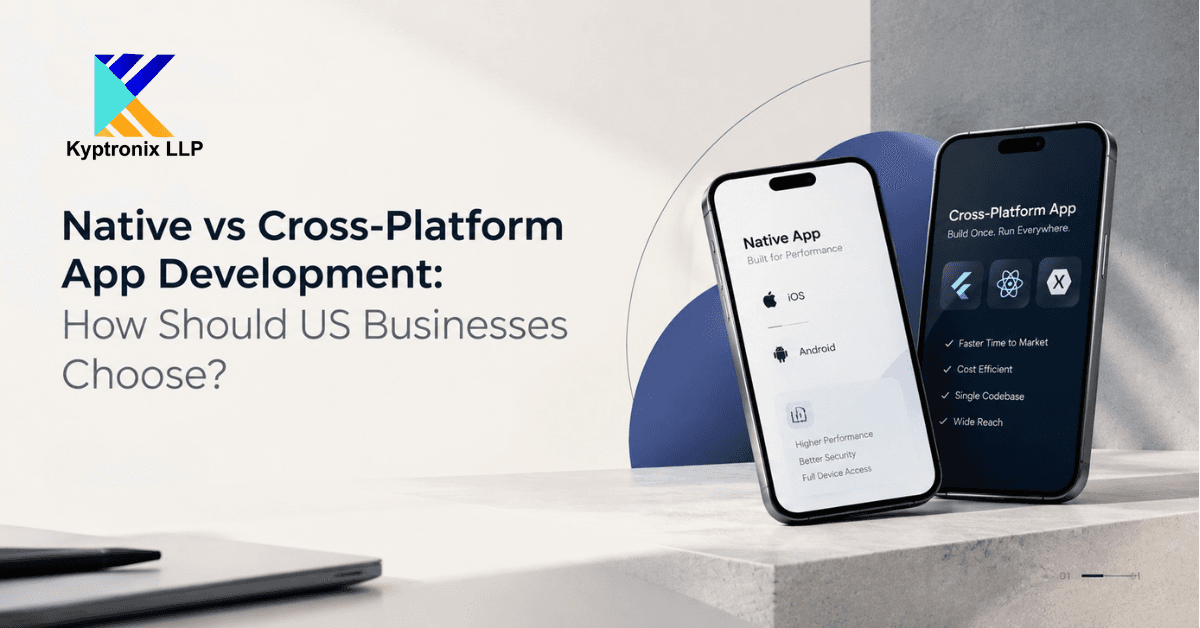
Not sure whether to pick a native team or a cross platform app development company? Here’s the quick answer. Choose native if your app needs the phone’s special features or the best speed. Choose cross-platform if you want one app for both iPhone and Android, built faster and easier to look after. Choose hybrid if your app is simple and mostly shows content. No option is best for everyone. It depends on what your app does and who uses it. Let’s go through each one, step by step.
What Do These Words Mean?
Companies use these words in different ways. So let’s keep them simple.
Native means you build one app for iPhone and a separate app for Android. Each app uses the tools made for that phone. iPhone apps often use Swift. Android apps often use Kotlin. Because each app is made for one phone type, it can use everything the phone can do.
Cross-platform means you write most of the code once. Then it runs on both iPhone and Android. React Native and Flutter are two well-known tools for this. Users still get a real app that feels normal on their phone. The saving is on your side, because your team looks after one codebase, not two.
Hybrid means the app is built like a website and placed inside a phone app shell. It uses HTML, CSS and JavaScript. It’s quick to make and works fine for simple apps. But it can feel slow when the app has a lot of movement or heavy tasks.
Many people mix up cross-platform and hybrid. They are not the same. If a company says “hybrid,” ask what they really mean.
How the Three Compare
Let’s look at them side by side, one point at a time.
Speed of the app. Native is usually the fastest, because it talks straight to the phone. Cross-platform is fast enough for most business apps. Most users won’t notice a difference. Hybrid can lag when there are lots of animations or fast scrolling.
Cost and time. Cross-platform and hybrid are often cheaper and quicker, because you build less. Native often means two builds, so it can cost more and take longer.
Phone features. Native can use every feature, and it gets new ones first. Cross-platform handles most common features through add-ons. Hybrid depends the most on add-ons, so it hits limits sooner.
Upkeep. With cross-platform, one fix goes to both phones. With native, you fix each app on its own. That gives you more control, but also more work.
Look and feel. Native fits each phone’s style without effort. Cross-platform can match it well if the team is careful. Hybrid is the most likely to feel a little different.
Speed and Phone Features
People argue about speed a lot, so let’s be fair.
For many apps, cross-platform runs well. Think booking apps, shopping apps, dashboards and tools for staff. People tap through lists and forms, and they won’t feel any delay. For these apps, good design and a fast backend matter more than the tool you pick.
Native wins when your app pushes the phone hard. Examples are advanced camera tools, augmented reality, heavy graphics and complex animation. It also wins when you must work closely with watches or other devices. And native usually gets new phone features first.
Cross-platform can still do some of this. Most tools let you add native code for the hard parts. But if the whole app is hard parts, you’ll write lots of native code anyway. Then cross-platform loses its main benefit.
Try this simple check. How much of your app is normal screens, and how much needs special phone features? If it’s mostly normal screens, cross-platform is a good fit. If it’s mostly special features, native is safer.
Shared Code and Upkeep
The best thing about cross-platform is shared code. Your team builds a feature once. Fixes and new versions go out to both phones together. Over a few years, that saves a lot of time.
It also keeps both apps the same. With two native apps, they can drift apart. One gets a new feature early. The other waits. Then support gets harder, because users see different things.
But shared code has a catch. You rely on the tool you picked. When Apple or Google releases a big update, you may have to wait for your tool to catch up. Popular tools usually do this fast. Still, it’s something to plan for.
Native works the other way. You control everything, and there’s no tool in the middle. But you must look after two codebases, and often two sets of skills. No option is free of upkeep. The work just shows up in different places.
Your Team’s Skills
Your own team matters a lot, and many guides skip this.
If your developers know web tools like JavaScript, React Native will feel familiar. If you’re starting from zero, or you want the same design on both phones, Flutter is a common choice. If you already have strong Swift and Kotlin developers, native may be easier. Making them learn a new tool could slow you down.
Hiring matters too. Native experts for each phone can be hard to find. You may need two of them. A cross-platform team is often smaller, because one group covers both phones. Still, good cross-platform developers also understand how each phone works underneath.
If you hire an outside company, ask if they have built real apps with the method they suggest. A company that only knows one way will often suggest that way for every project.
Safety and Testing
No method is safe or unsafe by itself. Safety comes from how well the app is built.
Native has direct access to each phone’s safety tools, like secure storage and fingerprint login. Cross-platform can use these too, but through add-on libraries. So you need to check that each one is trusted and kept up to date. Every add-on is one more thing to review.
You need a testing plan either way. With native, you test each app on its own. With cross-platform, you can share many tests. But you should still test on real iPhones and Android phones, because small differences can show up. Ask any company how they test on different phones and versions. Also ask how they update outside packages. If your app handles private data or you work in a strict industry, bring that up early.
When Native Is the Right Choice
Native is a good choice when your app depends on what the phone can do. That means heavy graphics, augmented reality, advanced camera or sensor work, close links to other devices, or smooth, fancy animation at the heart of the product.
It also fits when one phone type matters far more than the other. If almost all your users are on iPhone, a great native iPhone app first may be smarter than building for both. And if you want the newest phone features right away, or you want to follow each phone’s design rules exactly, native gives you full control.
The cost is more effort. You’ll need more development work, more teamwork, and more time before both apps are live.
When Cross-Platform Is the Right Choice
Cross-platform works best when you need both iPhone and Android, your budget or time is tight, and your app is mostly screens and business rules, not special hardware.
Good examples are marketplaces, booking tools, shopping apps, finance dashboards, field service apps, staff tools and many startup first versions. Shared code gets you to market sooner. It also makes updates easier. And it’s great if you want the same look on both phones.
It’s less comfortable if your plans are full of the newest phone features. If you already know that’s coming, talk to your team early.
A Simple Way to Decide
Here’s an easy way to think it through. Ask yourself these questions, and notice which way your answers lean.
Do you need both iPhone and Android at launch? If yes, cross-platform looks better. If one phone matters most, native on that phone is simpler.
How much does your app depend on phone features? Normal screens and forms point to cross-platform. Advanced camera, AR or special hardware point to native.
How tight are your budget and time? A small budget and short schedule point to cross-platform. More room to spend points to native.
What does your team know? Web skills fit React Native. Swift and Kotlin skills fit native. A fresh start gives you more choice.
How often will the app change? Frequent updates on both phones suit shared code. A steady app with special needs may suit native.
How much do you care about matching each phone’s exact style? If it’s very important, native is safest. If the same design on both is fine, cross-platform works well.
If most answers lean one way, you’ve likely found your path. If they split evenly, get a proper technical review before you decide. One short chat about your app’s design can save a lot of rework later.
General Advice vs Your Own App
One honest note. Everything here is general advice. It’s not a final answer for your exact app. Two apps can look alike but have very different needs once you look at their features, users, rules and future plans.
Use this guide to ask better questions. Then check the answers against your real needs. Talk to a team that has built apps in more than one way, and that explains the good and bad of each without pushing one.
Frequently Asked Questions
What is the difference between native and cross-platform app development?
Native means a separate app for iPhone and Android, built with each phone’s own tools. Cross-platform means one shared codebase for both, using tools like React Native or Flutter.
Is cross-platform cheaper than native?
Often, yes. One team and one codebase can mean less repeated work. The real cost depends on your features and design, so ask for a clear estimate.
Is a cross-platform app slower than a native app?
For most business apps, users won’t notice. Native is better for heavy work like advanced graphics or AR.
What is a hybrid app?
A hybrid app is built with web tools and placed inside a phone app shell. It’s quick to build, but it can feel less smooth for demanding tasks.
Can a cross-platform app use the camera or GPS?
Yes. Common features work through add-ons and native code. Very new or unusual features may need extra custom work.
Can I move from cross-platform to native later?
You can, but it usually means rebuilding parts of the app. If you expect to need heavy native features, plan for it early.
Which is best for a first version of my app?
Many teams choose cross-platform for a first version, because both phones launch faster. The right choice still depends on what your app needs.
Get Advice on the Right App Setup
Choosing between native, cross-platform and hybrid is a big decision at the start. It’s much easier to get right before building begins. If you’d like a second opinion on your plan, we’re happy to talk it through.
Get advice on the right app architecture